For decades, calorie tracking meant one thing: typing every ingredient into a search bar, scrolling through database results, and hoping the entry you picked matched what was actually on your plate. It worked, but barely. Most people quit within two weeks because the friction was unbearable.
How AI Food Recognition Works
Modern phone-camera tracking uses convolutional neural networks trained on millions of food images. When you take a photo of your meal, the model identifies individual food items, estimates portion sizes based on visual cues like plate dimensions and food depth, and cross-references a nutritional database to return calorie and macronutrient estimates — all in under two seconds.
The technology relies on three distinct processing stages. First, the object detection layer isolates each food item in the frame, drawing bounding boxes around your chicken breast, your rice, and your broccoli separately. Second, the classification layer identifies what each item is by comparing its visual features against a training set of millions of labeled food images. Third, the volume estimation layer uses reference cues — the size of the plate, the angle of the photo, depth shadows — to estimate the weight of each item in grams. That weight is then multiplied against known nutritional values per gram to produce your calorie and macro readout.
Why It's More Accurate Than You Think
Early photo-based trackers were unreliable, often confusing a bowl of oatmeal for mashed potatoes. But the current generation of models has reached a level of accuracy that rivals manual logging for most common meals. A 2025 Stanford study found that AI-based food recognition estimated calories within 10-15% of weighed measurements for home-cooked meals — comparable to the error rate of people manually selecting database entries.
To put that 10-15% margin in perspective: if your actual meal contains 600 calories, the AI estimate will typically land between 510 and 690 calories. Compare that to the error rate of manual logging, where studies have found that even trained dietitians underestimate calorie content by 10-30% when eyeballing portions. The AI does not have an optimism bias, it does not forget to log the cooking oil, and it does not round down because the number feels more comfortable.
Tips for Getting the Best Results
Lighting matters. Shoot in natural or bright overhead light so the AI can distinguish individual items. Angle your camera at roughly 45 degrees above the plate — this gives the model the best perspective for estimating portion depth. If your meal has mixed components like a stir-fry, spread items out slightly before snapping. And always capture the full plate in frame, including any side dishes or drinks.
Specific Foods Where Photo Tracking Excels
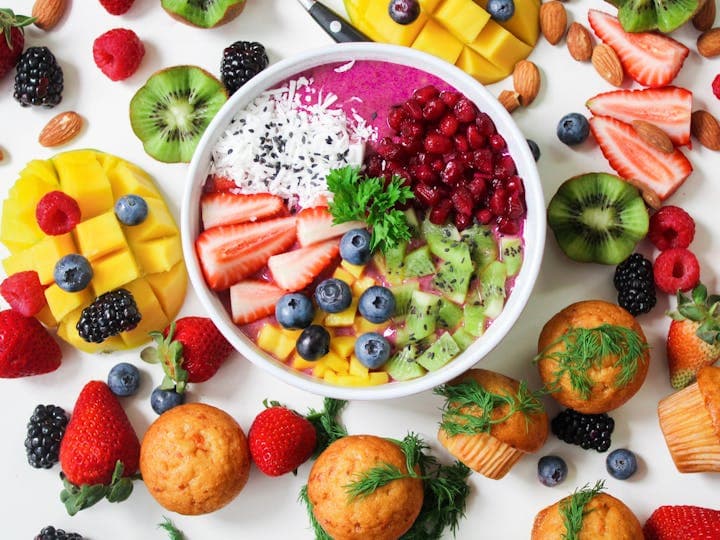
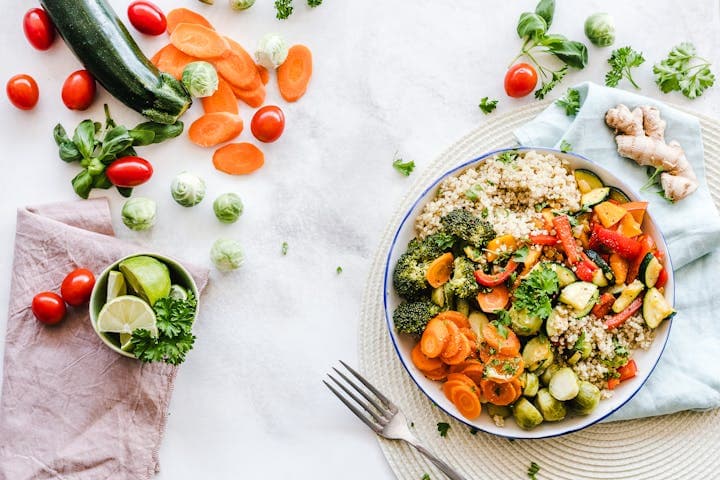
Photo-based calorie tracking performs best with visually distinct, plated meals. A grilled chicken breast with steamed vegetables and rice is almost perfectly estimated because each component sits separately and has a clear visual profile. Salads with visible toppings, sandwiches with identifiable layers, fruit plates, and standard breakfast setups like eggs with toast are all reliably tracked. Sushi, burrito bowls, and grain bowls also score well because the individual ingredients are arranged visually.
Foods That Need Extra Attention
Certain foods challenge even the best AI models. Liquids like smoothies, soups, and sauces obscure their ingredients, making estimation difficult. A green smoothie could contain 200 or 600 calories depending on whether it includes avocado and nut butter, and the AI cannot see through the blended result. Similarly, fried foods present a challenge because the amount of oil absorbed during cooking varies widely and is invisible in a photo. For a breaded chicken cutlet, the AI might nail the protein estimate but undercount fat by 5-10 grams. In these situations, a quick manual adjustment after snapping the photo yields the best results.
Common Mistakes to Avoid
The most frequent error users make is photographing their meal from too far away or at a flat angle. Distance shots lose the depth information the AI needs to estimate portion size, and a head-on angle collapses a tall bowl of food into a flat disc. Another common mistake is cropping the plate out of the frame. The plate serves as a size reference; without it, the model has less context for judging whether that chicken breast weighs 120 grams or 200 grams. Finally, some users forget to photograph condiments, dressings, and beverages served on the side. That ranch dressing cup adds 140 calories; that glass of orange juice adds 110. Capture everything on the table.
Photo Tracking vs. Manual Logging: A Side-by-Side Comparison
Manual logging requires you to search a database, select the correct entry from dozens of similar options, estimate the portion size, and repeat for every component of your meal. For a chicken stir-fry with rice, that means logging the chicken, the oil, each vegetable, the sauce, and the rice separately — a process that takes 2-4 minutes and introduces error at every selection step. Photo tracking captures the same meal in one shot, taking roughly 3 seconds. The AI handles the decomposition and estimation simultaneously. Over three meals a day, that difference adds up to 6-12 minutes saved daily, or 3-6 hours per month. More importantly, the reduced friction means you are far more likely to actually log every meal instead of skipping the ones that feel inconvenient.
How Snap and Log Changes the Workflow
FitWit AI's Snap & Log feature takes photo-based tracking a step further. Instead of just identifying food, it integrates directly with your daily macro targets and workout schedule. Snap a photo of your lunch, and the app not only logs the meal but also shows you how it fits into your remaining daily budget — protein, carbs, fats, and total calories — in one glance. No searching, no scrolling, no second-guessing database entries.
What makes Snap & Log especially powerful is the feedback loop it creates. After photographing your lunch, you immediately see that you have 80 grams of protein left for the day but only 30 grams of fat remaining. That real-time awareness shapes your dinner choice before you even think about it. Over time, this constant visibility trains your intuition about food composition, making you a better estimator even when you are not tracking.
When Manual Logging Still Wins
Photo tracking excels for whole foods and recognizable meals — grilled chicken with rice, a salad, a sandwich. Where it struggles is with heavily processed or highly mixed dishes where individual ingredients aren't visible. A homemade casserole or a heavily sauced pasta bowl may still benefit from manual entry or a quick recipe log. The good news is that these edge cases are shrinking as models improve with each update.
Combining Methods for Maximum Accuracy
The smartest approach is a hybrid one. Use photo tracking for 80% of your meals — the quick, everyday ones — and switch to manual logging for the occasional complex dish or when you need precision (like during a competition prep). This keeps the process fast enough to sustain long-term while maintaining the accuracy that matters during critical phases.
A practical daily example might look like this: snap your breakfast (eggs, toast, fruit — 3 seconds), snap your lunch (a grain bowl from the cafeteria — 3 seconds), then manually log your dinner because you cooked a complex curry with multiple measured ingredients (2 minutes). Total tracking time for the day: roughly two and a half minutes. Compare that to the 10-15 minutes manual-only tracking demands, and the sustainability advantage becomes obvious.
Building the Habit That Sticks
The reason photo tracking works where manual logging fails isn't accuracy — it's speed. When logging a meal takes three seconds instead of three minutes, you actually do it. Consistency trumps precision in nutrition tracking. A slightly imperfect log maintained for six months delivers infinitely better results than a perfect log abandoned after ten days.
Behavioral research on habit formation shows that actions taking less than 30 seconds to complete are dramatically more likely to become automatic. Photo tracking falls well within that threshold. After about two weeks of consistent use, most people report that snapping a photo before eating feels as natural as picking up their fork. That effortless consistency is the real advantage of camera-based calorie tracking — not the technology itself, but the behavior it enables.
Ready to Eat Smarter?
FitWit AI brings together Snap & Log photo tracking, personalized macro targets, and AI-powered meal suggestions in one app. Whether you are counting calories for the first time or dialing in your macros for a competition prep, the fastest path to results is the one you actually follow. Stop dreading your food diary and start snapping your way to better nutrition — download FitWit AI and see the difference a frictionless tracking experience makes.